
Neutron/FWaaS/HowToInstall
使用 Devstack 试用 FWaaS
在 localrc 中添加这些行
enable_service q-fwaas
Q_SERVICE_PLUGIN_CLASSES=neutron.services.firewall.fwaas_plugin.FirewallPlugin
- 以下内容将在 devstack 安装后填充
/etc/neutron/l3_agent.ini
[fwaas]
driver = neutron_fwaas.services.firewall.drivers.linux.iptables_fwaas.IptablesFwaasDriver
enabled = True
CLI/REST 演练
CLI
- 列出防火墙、防火墙策略、防火墙规则
neutron firewall-list
neutron firewall-policy-list
neutron firewall-rule-list
- 创建防火墙规则
neutron firewall-rule-create --protocol tcp --destination-port 80 --action allow
Created a new firewall_rule:
+------------------------+--------------------------------------+
| Field                  | Value                                |
+------------------------+--------------------------------------+
| action                 | allow                                |
| description            |                                      |
| destination_ip_address |                                      |
| destination_port       | 80                                   |
| enabled                | True                                 |
| firewall_policy_id     |                                      |
| id                     | 1283a548-9ca8-4a7b-a187-fc21c7fefe8e |
| ip_version             | 4                                    |
| name                   |                                      |
| position               |                                      |
| protocol               | tcp                                  |
| shared                 | False                                |
| source_ip_address      |                                      |
| source_port            |                                      |
| tenant_id              | baaaf4da44874e3f82ff93beba64117e     |
+------------------------+--------------------------------------+
- 创建带有规则的防火墙策略
neutron firewall-policy-create --firewall-rules "1283a548-9ca8-4a7b-a187-fc21c7fefe8e ef9fe8d1-1d79-485b-9d90-d1dd4bf228b5" test-policy
Created a new firewall_policy:
+----------------+--------------------------------------+
| Field          | Value                                |
+----------------+--------------------------------------+
| audited        | False                                |
| description    |                                      |
| firewall_rules | 1283a548-9ca8-4a7b-a187-fc21c7fefe8e |
|                | ef9fe8d1-1d79-485b-9d90-d1dd4bf228b5 |
| id             | 257f0a59-5b16-486b-aae2-b57c60e2053f |
| name           | test-policy                          |
| shared         | False                                |
| tenant_id      | baaaf4da44874e3f82ff93beba64117e     |
+----------------+--------------------------------------+
- 创建与策略关联的防火墙
neutron firewall-create 257f0a59-5b16-486b-aae2-b57c60e2053f
Created a new firewall:
+--------------------+--------------------------------------+
| Field              | Value                                |
+--------------------+--------------------------------------+
| admin_state_up     | True                                 |
| description        |                                      |
| firewall_policy_id | 257f0a59-5b16-486b-aae2-b57c60e2053f |
| id                 | 28530399-d8ee-4700-9685-ee5d645f4d59 |
| name               |                                      |
| status             | PENDING_CREATE                       |
| tenant_id          | baaaf4da44874e3f82ff93beba64117e     |
+--------------------+--------------------------------------+
- 在对防火墙执行下一步操作之前,请检查防火墙是否处于 ACTIVE 状态
neutron firewall-show 28530399-d8ee-4700-9685-ee5d645f4d59
+--------------------+--------------------------------------+
| Field              | Value                                |
+--------------------+--------------------------------------+
| admin_state_up     | True                                 |
| description        |                                      |
| firewall_policy_id | 257f0a59-5b16-486b-aae2-b57c60e2053f |
| id                 | 28530399-d8ee-4700-9685-ee5d645f4d59 |
| name               |                                      |
| status             | ACTIVE                               |
| tenant_id          | baaaf4da44874e3f82ff93beba64117e     |
+--------------------+--------------------------------------+
- 删除防火墙
neutron firewall-delete 28530399-d8ee-4700-9685-ee5d645f4d59
Deleted firewall: 28530399-d8ee-4700-9685-ee5d645f4d59
使用 curl 的 REST 调用
export q_url=http://<neutron-server-ip>:9696/v2.0
例如
export q_url=http://127.0.0.1:9696/v2.0
和
export auth_token=<auth_token>
其中 <auth_token> 是从以下位置获取的令牌
keystone token-get
或者
export auth_token=`keystone token-get | awk '/id/{print $4}' | head -n1`
- 列出防火墙、防火墙策略、防火墙规则
   curl -X GET -H "X-Auth-Token: $auth_token" $q_url/fw/firewalls | python -mjson.tool
   curl -X GET -H "X-Auth-Token: $auth_token" $q_url/fw/firewall_policies | python -mjson.tool
   curl -X GET -H "X-Auth-Token: $auth_token" $q_url/fw/firewall_rules | python -mjson.tool
- 创建防火墙规则
curl -X POST -H "X-Auth-Token: $auth_token" -H "Content-type:application/json" -d '{"firewall_rule": {"protocol": "tcp", "destination_port": "80", "action": "allow"}}' $q_url/fw/firewall_rules
- 创建防火墙策略
curl -X POST -H "X-Auth-Token: $auth_token" -H "Content-type:application/json" -d '{"firewall_policy": {"name": "fwasspolicy"} }' $q_url/fw/firewall_policies
- 将规则添加到策略(也可以在创建防火墙策略时完成)
curl -X PUT -H "X-Auth-Token: $auth_token" -H "Content-type:application/json" -d '{"firewall_policy": {"firewall_rules": ["1d47c609-8fd1-4aad-97fd-157887c47b4f"]}}' $q_url/fw/firewall_policies/9c50d2d0-3a85-4ed7-a20f-bef8c08233e3
- 创建与策略关联的防火墙
curl -X POST -H "X-Auth-Token: $auth_token" -H "Content-type:application/json" -d '{"firewall": {"name": "fwasstest", "firewall_policy_id": "9c50d2d0-3a85-4ed7-a20f-bef8c08233e3"} }' $q_url/fw/firewalls
- 删除防火墙
curl -X DELETE -H "X-Auth-Token: $auth_token" $q_url/fw/firewalls/9649548e-b87f-4c56-bbb7-5ee84b316da1
Horizon 界面
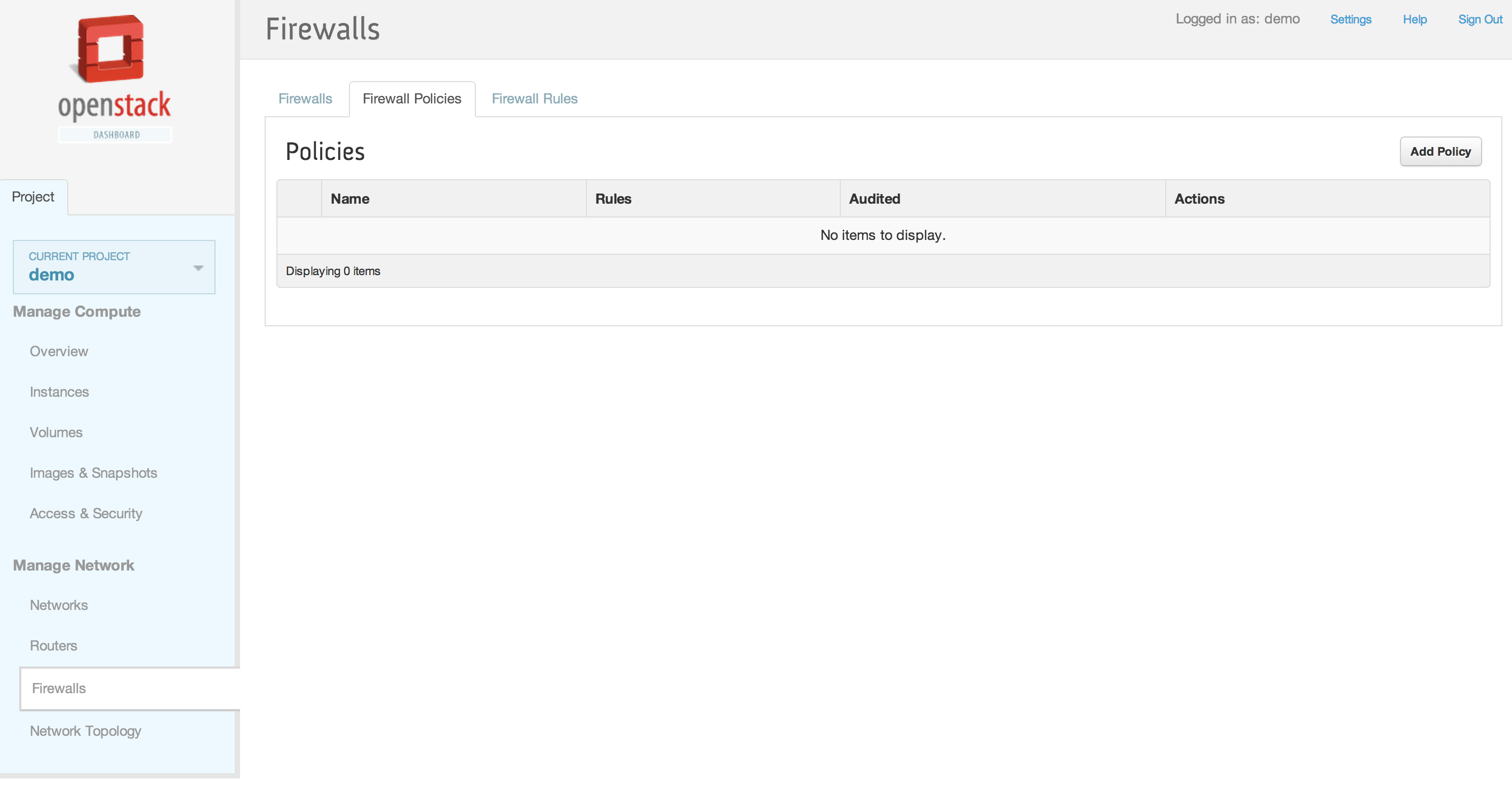
1. Neutron 防火墙即服务 (FWaaS) 面板
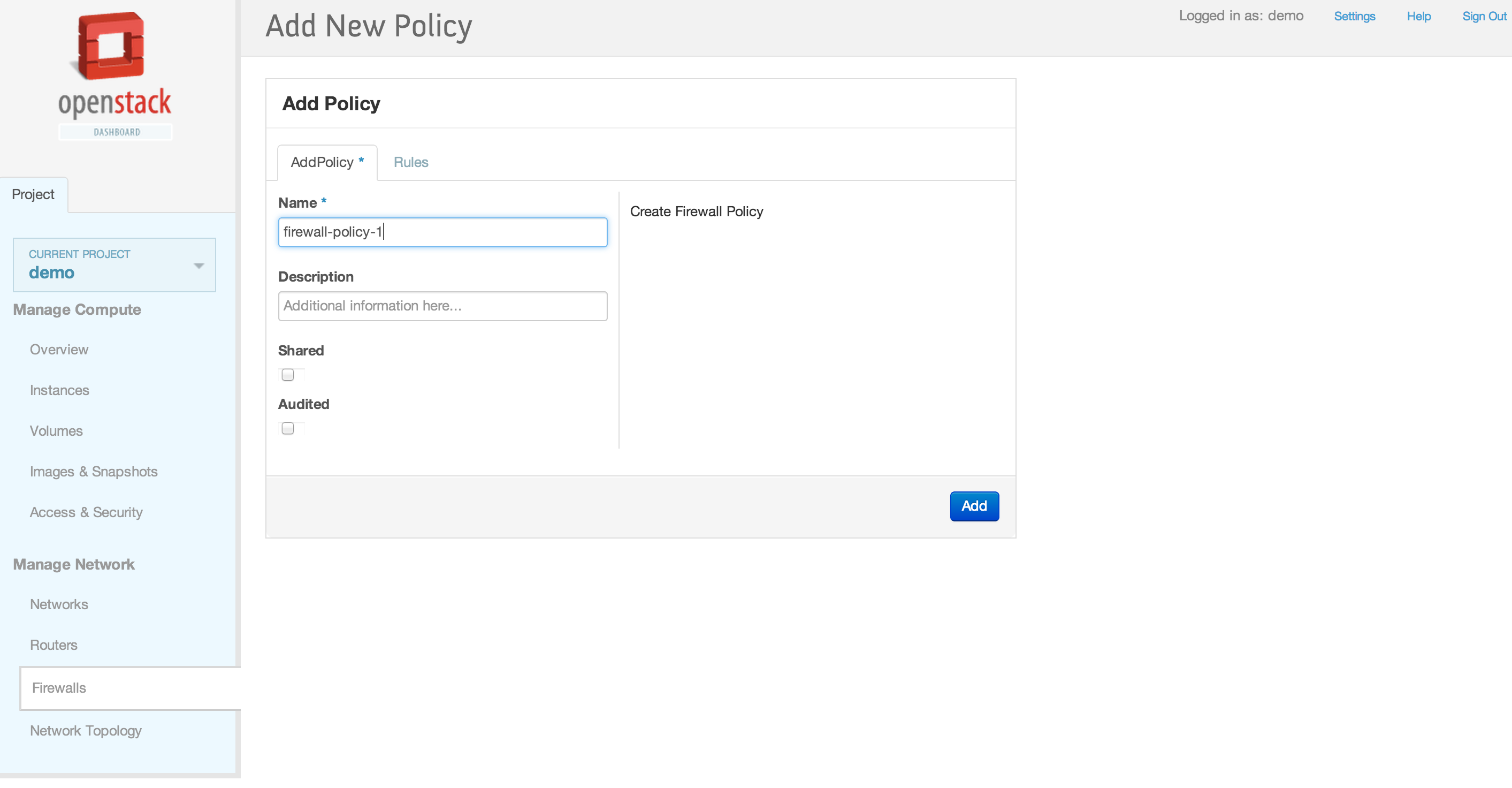
2. 添加新的防火墙策略
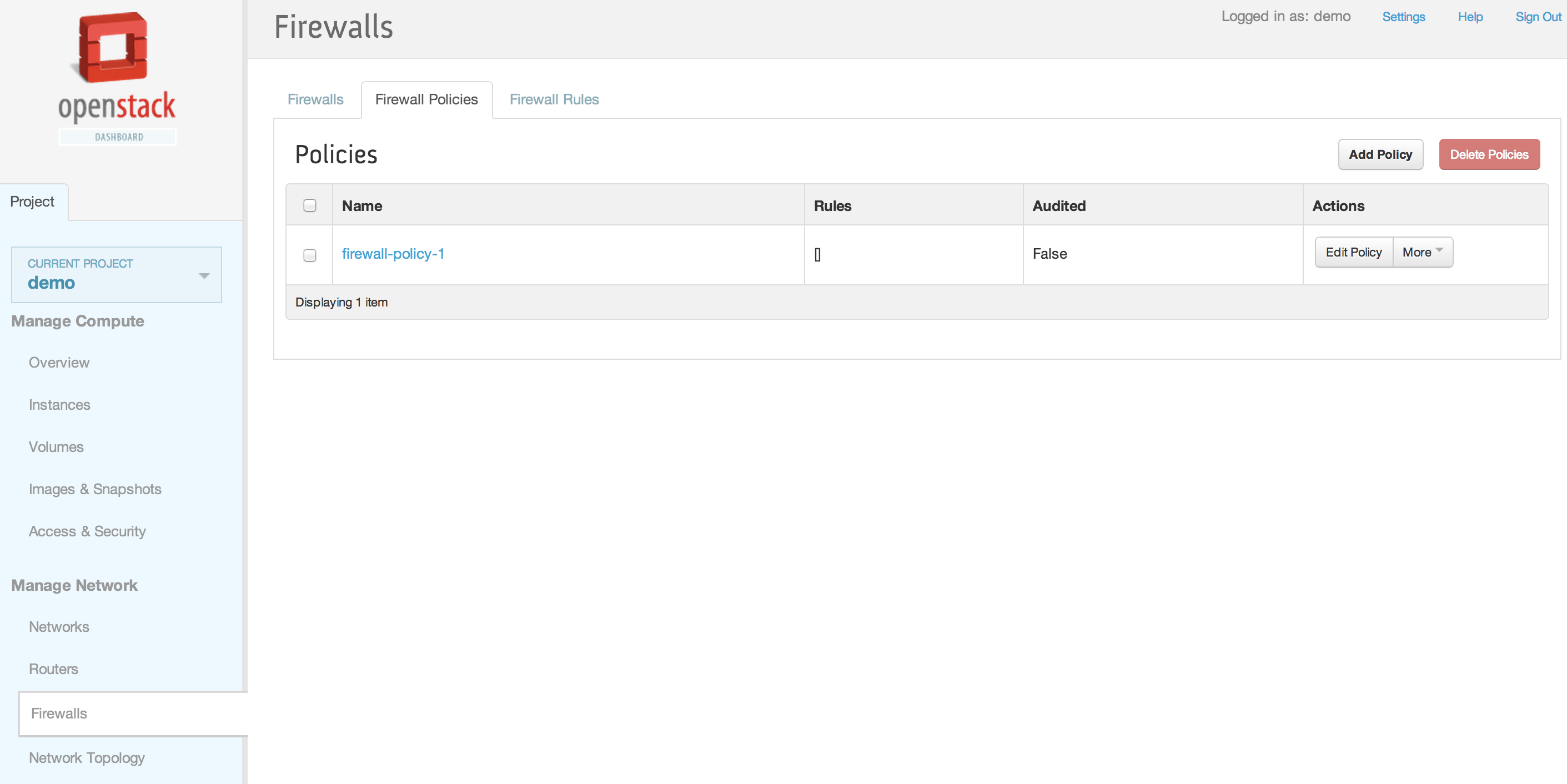
3. 添加了新的防火墙策略
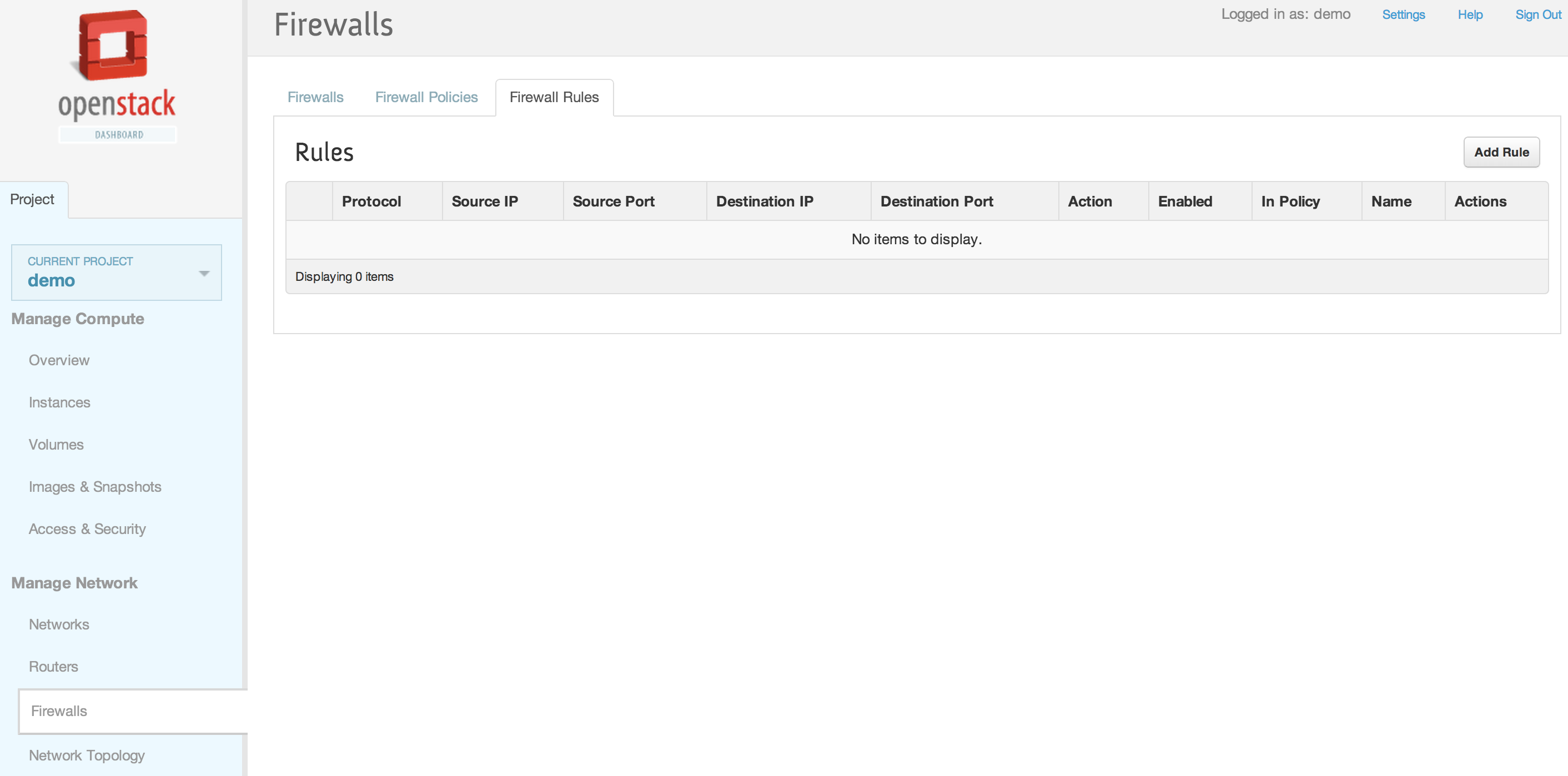
4. 防火墙规则
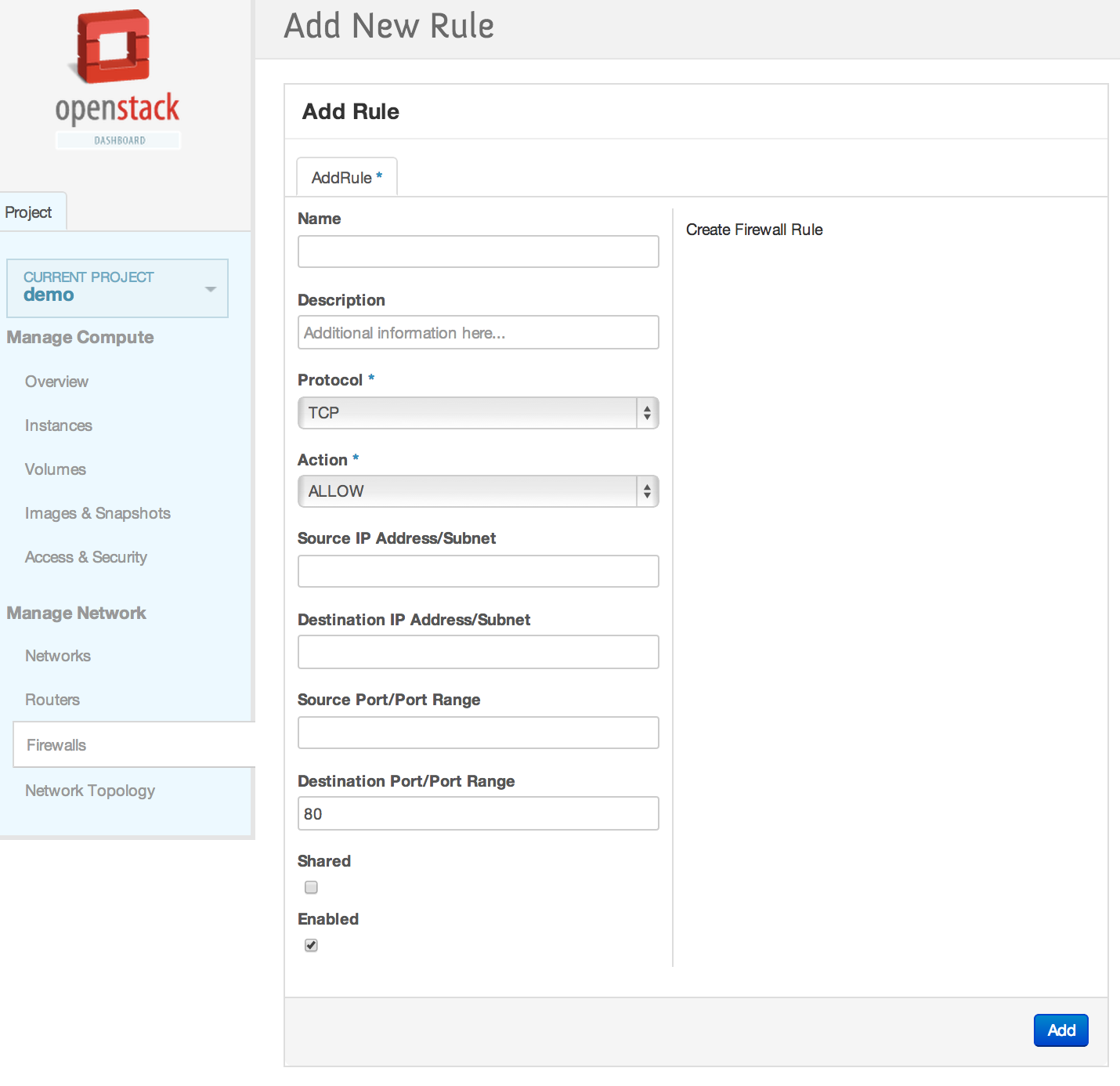
5. 添加新的防火墙规则
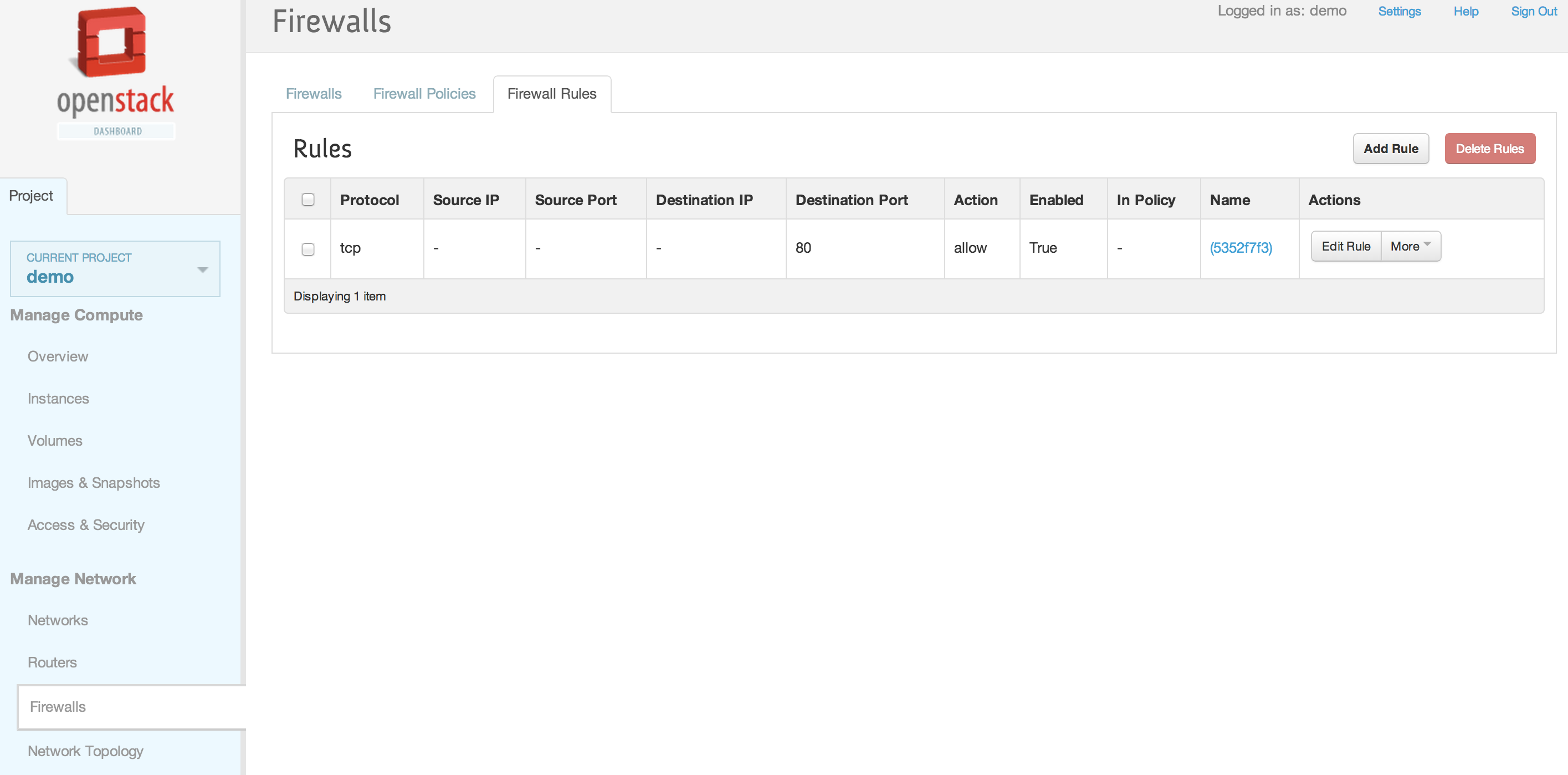
6. 添加了新的防火墙规则
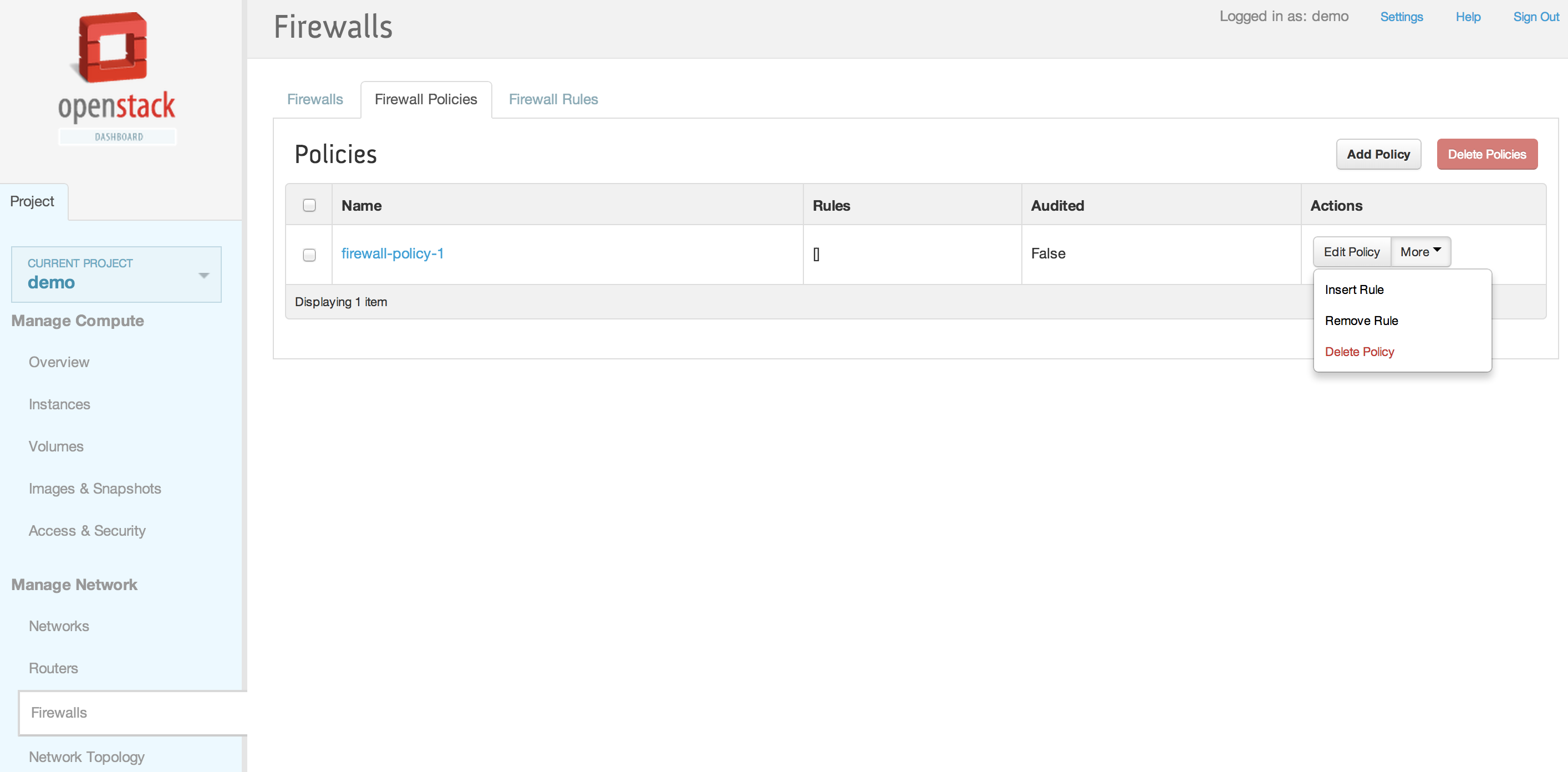
7. 将防火墙规则插入防火墙策略
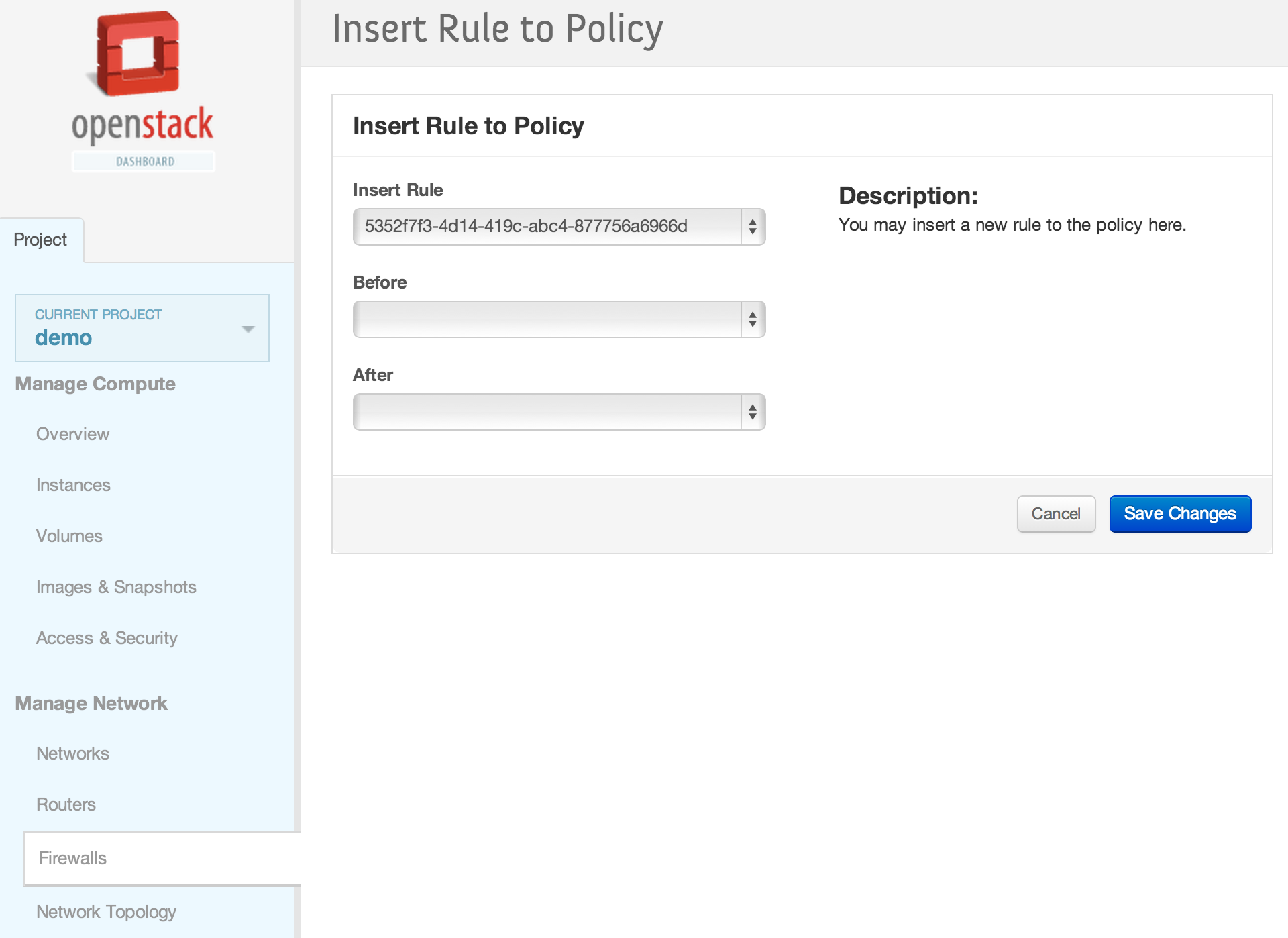
8. 将防火墙规则插入到顶部位置
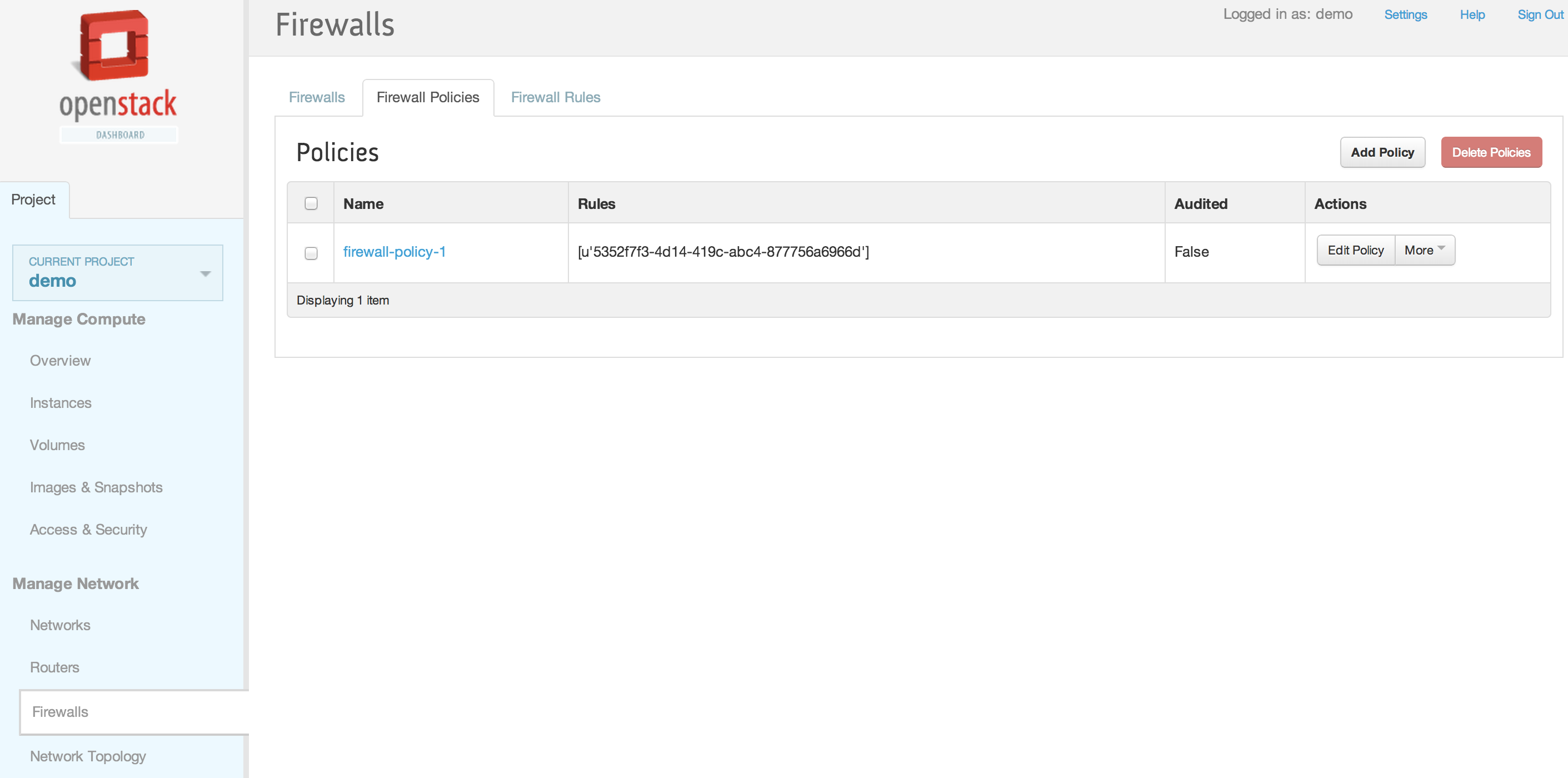
9. 防火墙规则已插入防火墙策略
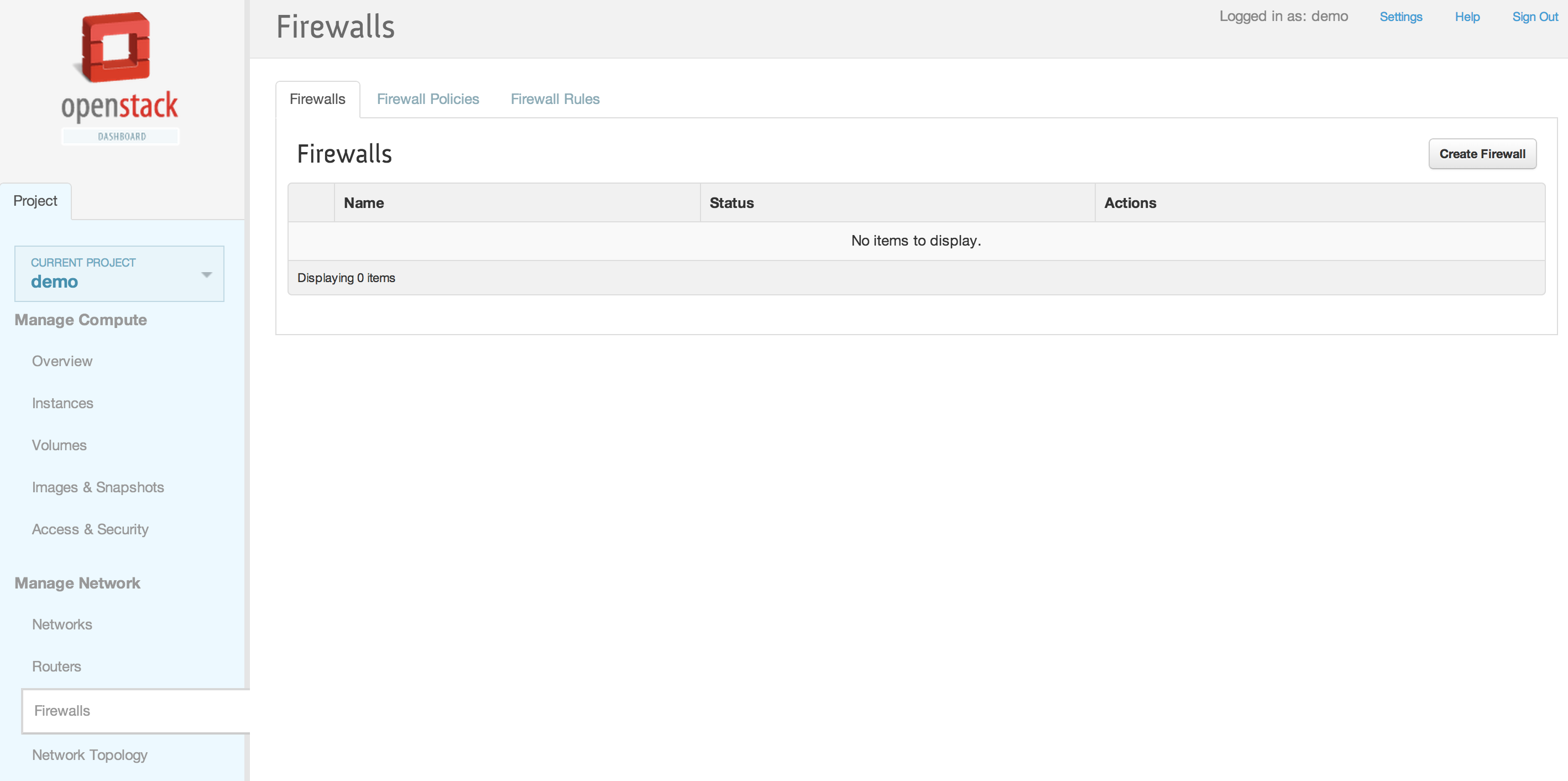
10. 防火墙选项卡
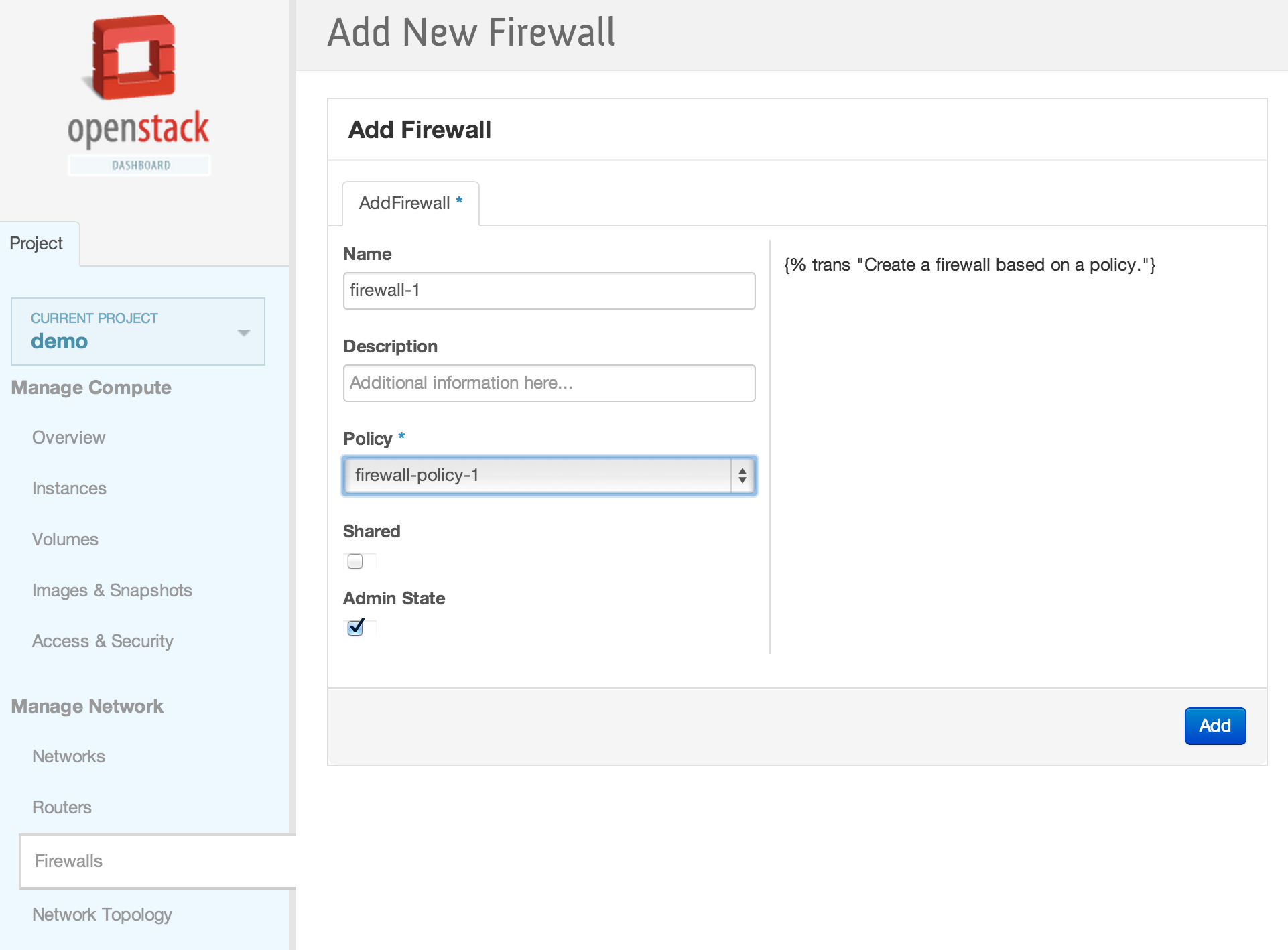
11. 添加带有之前创建的防火墙策略的新防火墙
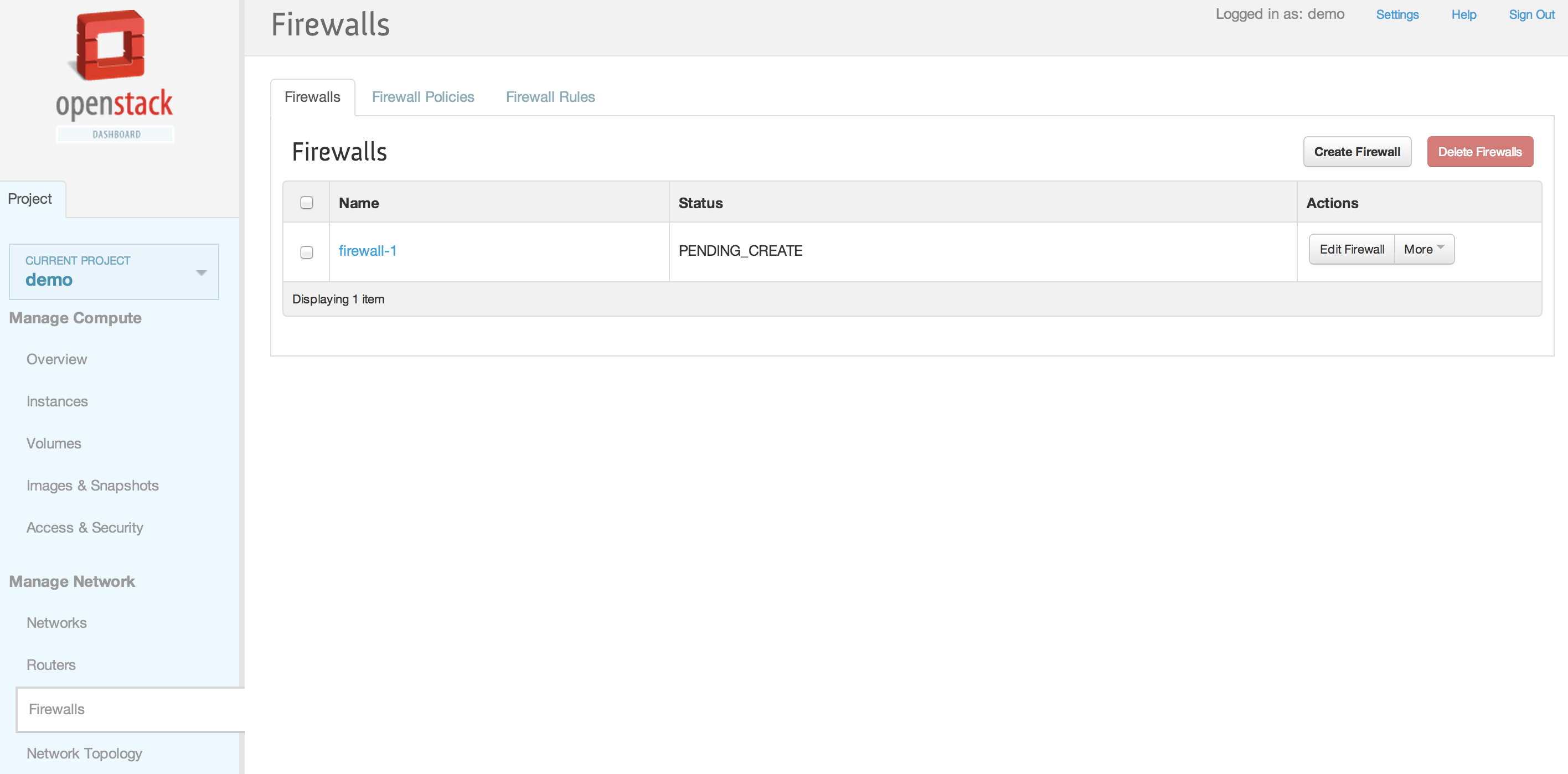
12. 防火墙已创建
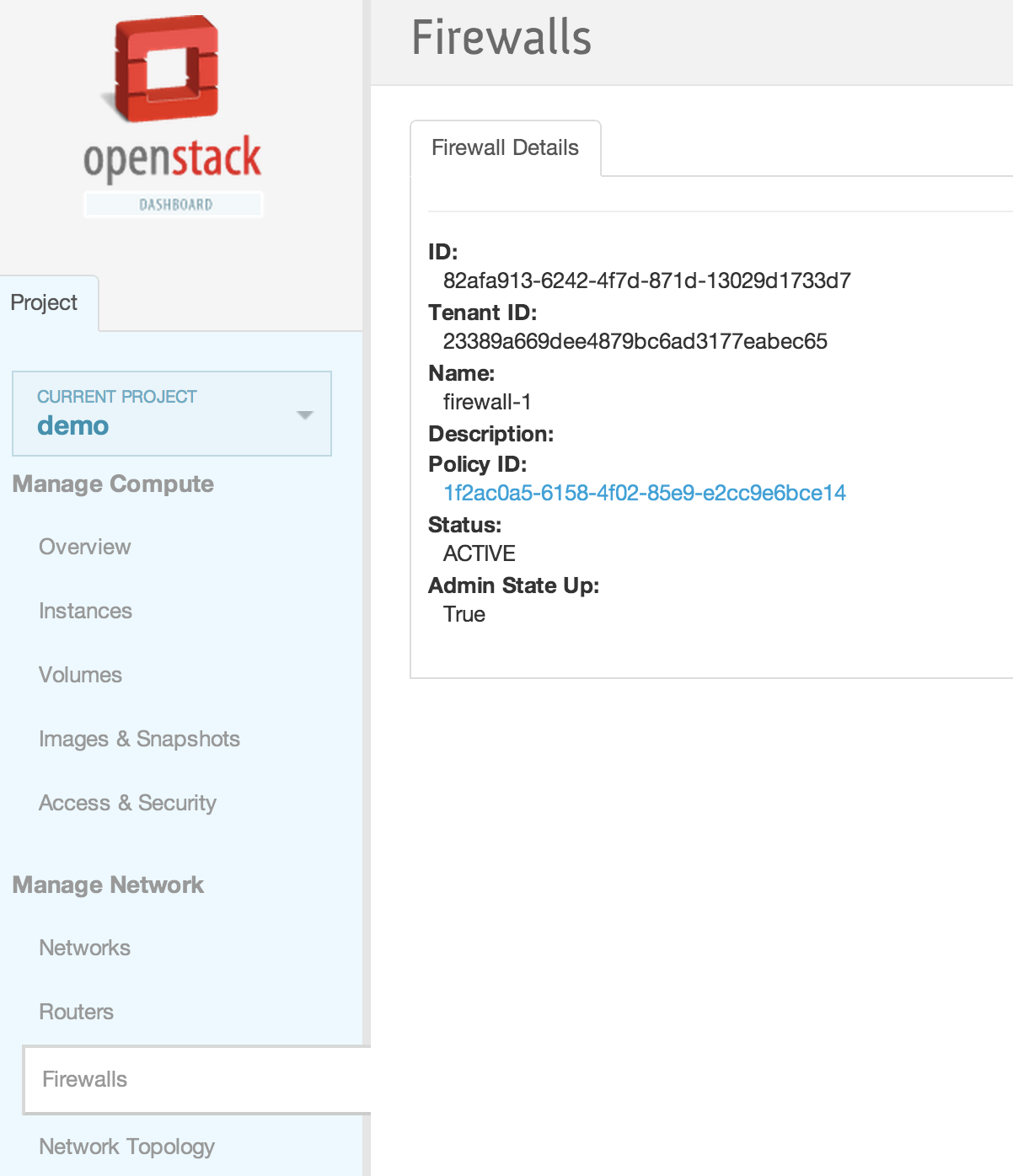
13. 防火墙详细信息
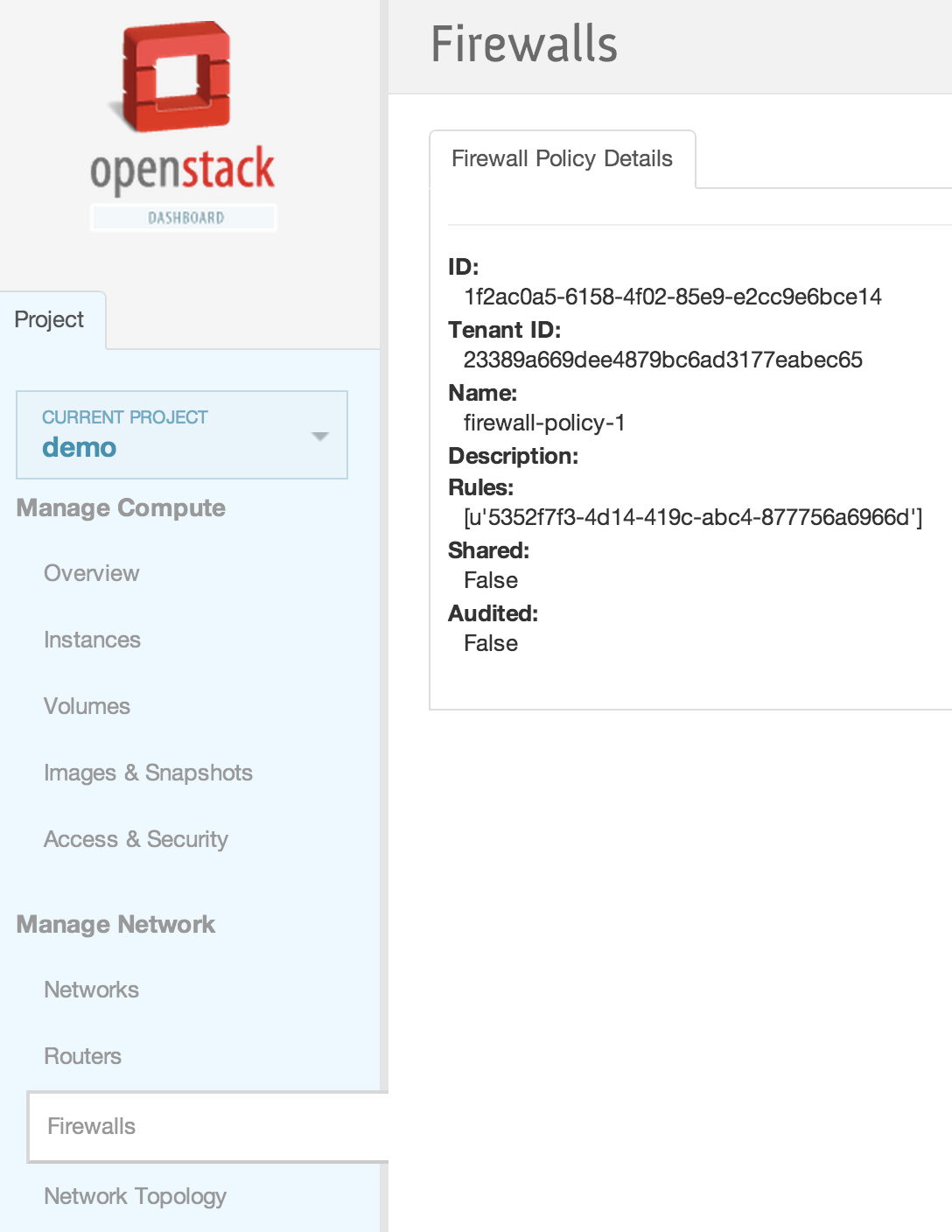
14. 防火墙策略详细信息
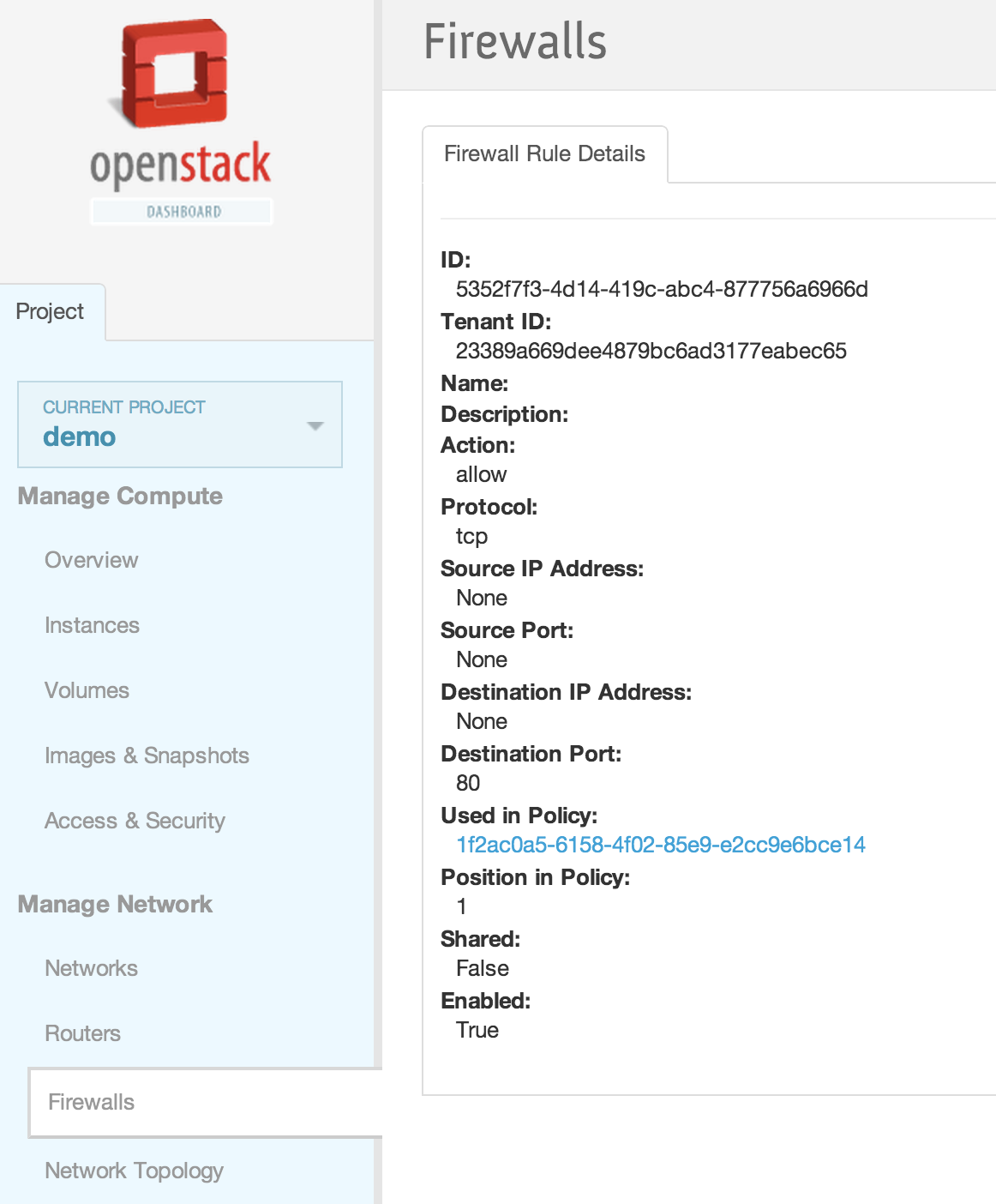
15. 防火墙规则详细信息

